
How to Choose the Right Ultrasound Machine for Your Clinic
The probe touches the skin. Grey shapes appear on a screen. Inside that grainy picture, a diagnosis forms — a cyst, a clot, a heartbeat, a mass, a pregnancy, a swollen joint, a large liver, a small kidney. No cuts. No needles. No radiation. That is what an ultrasound machine does. Picking the wrong one is like buying a camera with no idea what you plan to shoot.
Ultrasound is the most versatile imaging tool in clinical medicine. It works in GP surgeries, maternity units, emergency departments, sports clinics, vascular labs, cardiac suites, musculoskeletal services, and bedside assessments across every ward. No other device covers that range. None is as portable, as safe, or as tied to the skill of the person holding the probe.
This guide covers how to choose the right ultrasound machine for your clinic with the honest detail that clinic owners, procurement leads, and clinical teams actually need. Medigear supplies certified ultrasound machines to clinics and hospitals across the UK — and every tip here comes from real clinical demand, not glossy brochures.
How Ultrasound Works
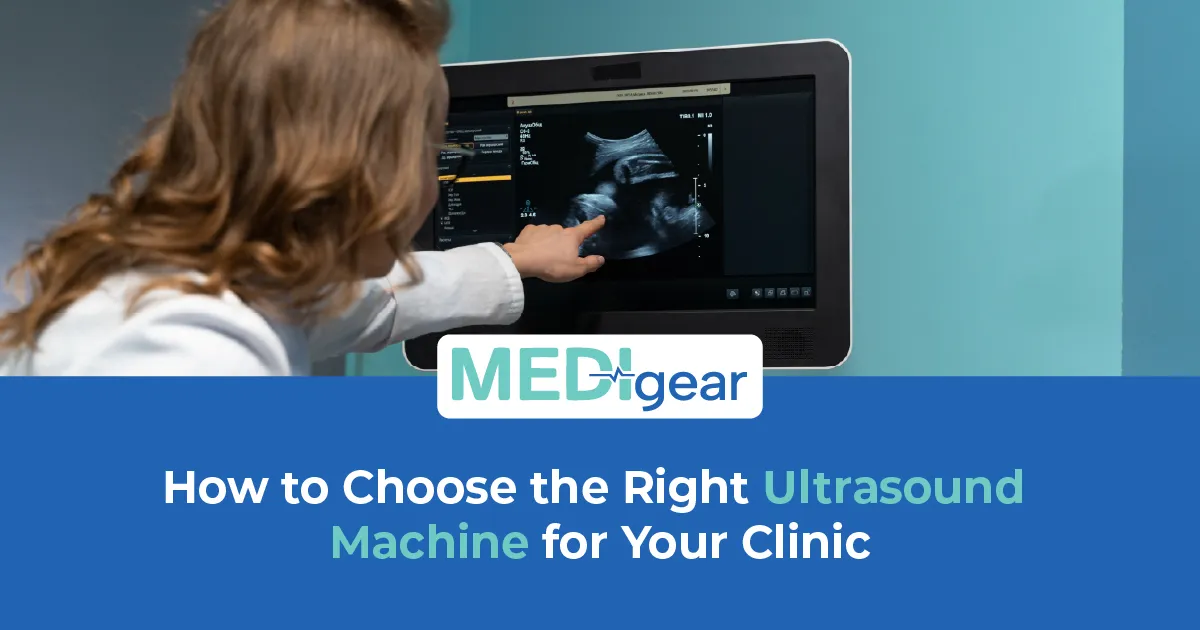
An ultrasound machine sends sound waves into the body through a probe on the skin. The waves bounce off what is inside and come back. The probe turns them into a picture. Fluid looks black. Soft tissue shows grey. Bone and air bounce almost all the sound back. The speed and strength of returning waves build the image the clinician reads. No radiation. No dye in most cases. No risk from repeat scans. That safety is why it comes first for pregnancy, children, and anything needing repeat scans.
Cart-Based Systems
Cart-based ultrasound machines are the traditional standard. A full-sized unit on wheels with a big screen, several probe slots, and strong processing. They give the best image, the widest features, and the most clinical range. The trade-off is size — they need a set room or a big space by the bed. For clinics with a fixed scan room and high daily volume, carts remain the top choice.
Portable Systems
Portable models — laptop or tablet style — trade some image for the power to go where the patient is. They fit in a bag, boot fast, and work at the bedside, on a home visit, or in a tent at a sports event. Image has improved so much that many portables now match mid-range carts for routine work. For clinics on the move or short on space, portable ultrasound opens doors that fixed units never could.
Handheld Devices
Handheld ultrasound devices — pocket-sized probes that link to a phone or tablet — are the newest type. They cost far less, fit in a pocket, and give basic imaging for bedside calls in seconds. They do not replace full scans. But for quick checks — fluid, needle guides, heartbeat, bladder — they change how doctors make bedside calls.
Probes
Probe selection is where most buying mistakes happen. The probe sets what the machine can see. A convex probe suits belly and baby scans — wide, deep, general. A linear probe suits surface work — muscles, tendons, thyroid, veins, and guided procedures. A phased array fits between ribs for heart scans. An endocavity probe suits internal scans. Most clinics need at least two probes. Buying a machine with one limits the service before it starts. Check which probes it takes, how many ports it has, and what each probe costs before signing.
Image Quality and Features
Image depends on power, probe tech, and the software that turns raw data into a clear picture. Harmonic imaging cuts noise. Compound imaging smooths grain. Doppler modes show blood flow — direction, speed, and pattern. Elastography reads tissue stiffness for liver and breast checks. Not every clinic needs all of these. But knowing what each does stops you buying a machine that cannot answer the questions your clinic asks.
Workflow
Workflow matters more than specs suggest. How fast does the machine boot? How many taps to switch probes? Can presets be saved? Does the screen tilt? Can images be saved and shared without burning a disc? A machine that scans well but wastes five minutes booting and ten minutes filing slows every list it touches.
Connectivity
Connectivity shapes how useful images become after the scan. DICOM sends images straight to PACS for storage. PACS links let it pull patient details and push finished scans without typing. Cloud systems allow remote review. Wireless cuts cables. For any clinic where scans feed into a wider path, linking is not a bonus. It is what makes imaging useful past the scan room.
Maintenance and Probe Care
Maintenance and probe care keep image quality high. Probes are fragile and costly — one drop can crack the crystal inside and wreck a probe worth thousands. Gel buildup, cable strain, and rough use all cut probe life. Regular updates, screen checks, and basic servicing guard the machine. Adding probe swaps and yearly service to the ultrasound machine price gives the true cost.
Training
Training is where ultrasound differs from almost every other clinical device. The machine does not diagnose. The hand on the probe does. Image depends on skill — probe angle, pressure, patient position, and the eye to tell normal from odd in real time. A poor operator gets nothing from a great machine. A good operator gets answers from a basic one. Ultrasound training alongside the purchase is not optional. It is what turns a machine into a clinical service.
Linked Guides
For clinics managing broader diagnostic capability alongside imaging, our complete buyer's guide to ECG machines covers cardiac monitoring that pairs naturally with cardiac ultrasound in any practice managing heart patients. Our guide to gynaecology equipment for womens health clinics covers the tools that sit alongside transvaginal ultrasound in obstetric and gynaecological services.
Infection Control
Infection control for ultrasound probes follows strict rules — especially for internal probes. High-level cleaning between patients is required for internal probes. External probes need a wipe after every patient. Gel must be single-use or poured without touching the tip. Covers add a barrier but do not skip proper cleaning. Cutting corners risks infection and CQC trouble.
Certification
Always confirm CE marking, ISO 13485 standards, and full MHRA compliance before buying any ultrasound machine. Check that probes carry their own marks. Ask about warranty, service deals, software upgrades, and probe swap costs. An ultrasound machine lasts seven to ten years. The supplier bond matters across all of them.
Used and Refurbished Machines
Used and refurbished ultrasound machines tempt many clinics on tight budgets. Older carts with dated software, worn probes, and fading screens can look like a bargain — until the image falls short and the service calls start. If budget forces a used buy, insist on fresh probe testing, software checks, and a clear service history. A machine that scans badly saves nothing. It delays answers and sends patients elsewhere.
Room Setup
Room setup shapes scan quality in ways most clinics skip. A quiet, dim room with a height-adjustable bed and enough space for the cart, the patient, and the clinician produces better scans than a bright, cramped corner with a fixed couch. Gel warmers, tissue rolls, and screen positioning all add small comforts that keep patients still — which keeps images clean and lists on time.
Insurance and Warranty
Insurance and warranty should cover probes separately from the machine. Probes break more often, cost more to replace, and account for most ultrasound service claims. A warranty that covers the cart but not the probes leaves the biggest risk uncovered. Ask exactly what is included — and get it in writing before the machine arrives.
Specialty Needs
Specialty-specific ultrasound needs vary more than first-time buyers expect. A musculoskeletal clinic needs high-frequency linear probes with great near-field detail. An obstetric service needs convex probes with tissue harmonics and 3D or 4D. A vascular lab needs spectral Doppler. A cardiac service needs phased array with M-mode. Buying a general machine and hoping it covers everything usually means it covers nothing well enough. Define your top three uses before the first demo. Let those drive the spec.
Lease vs Buy
Leasing versus buying is a choice more clinics face as ultrasound tech moves faster than ever. A machine bought today may feel old in five years as better probes and smarter software hit the market. Leasing spreads cost, includes service, and lets clinics swap at term end. Buying costs more upfront but gives full ownership. The right call depends on cash flow, scan volume, and growth plans. Medigear can advise on both paths.
Demo Sessions
Demo sessions should involve the clinicians who will use the ultrasound machine daily — not just the person signing the cheque. Let them scan real patients or phantom models. Check image on the body types they actually see. Test the interface under time pressure. Ask about training after purchase. A fifteen-minute sales demo in good lighting on a thin model tells you nothing about how the machine works on a large patient in a dim room with ten people waiting outside.
Why Choose Medigear
Medigear supplies certified ultrasound machines, probes, and accessories to clinics, hospitals, and mobile services across the UK — with clear pricing, honest guidance, and after-sales support built for daily clinical use. Whether you are setting up a new imaging service, adding portable capability, or upgrading an ageing system, our team matches the right machine to your clinical need. Reach out to our team directly for guidance built around the scans you perform and the patients who depend on what the probe reveals.
Conclusion
An ultrasound machine is not a screen that shows grey pictures. It is the tool that finds what nobody can feel, sees what no blood test can show, and answers questions that patients carry into your clinic hoping someone will finally look. Choosing the right one means matching machine to service, probes to patients, and training to technology — not ticking boxes on a spec sheet. Medigear stands alongside clinics with certified ultrasound equipment and the honest support that imaging demands. Speak to our team today and find the machine that turns sound into answers.
⚠️ This post is for general information only. We do not sell medications or provide prescriptions — Medigear.uk is a medical equipment supplier only.